Key takeaways
- Avoid stacking 40+ plugins: excess third-party dependencies cause 85% of security breaches and slow load times.
- Custom plugins provide lightweight, secure solutions tailored exactly to your unique business logic and APIs.
- Bespoke development eliminates costly annual subscription renewals and ensures seamless WordPress core compatibility.
A practical guide to evaluating when custom WordPress plugin development outperforms commercial off-the-shelf plugins in speed, security, and long-term maintainability.
The 40-Plugin Trap: The Hidden Cost of Off-the-Shelf Add-ons
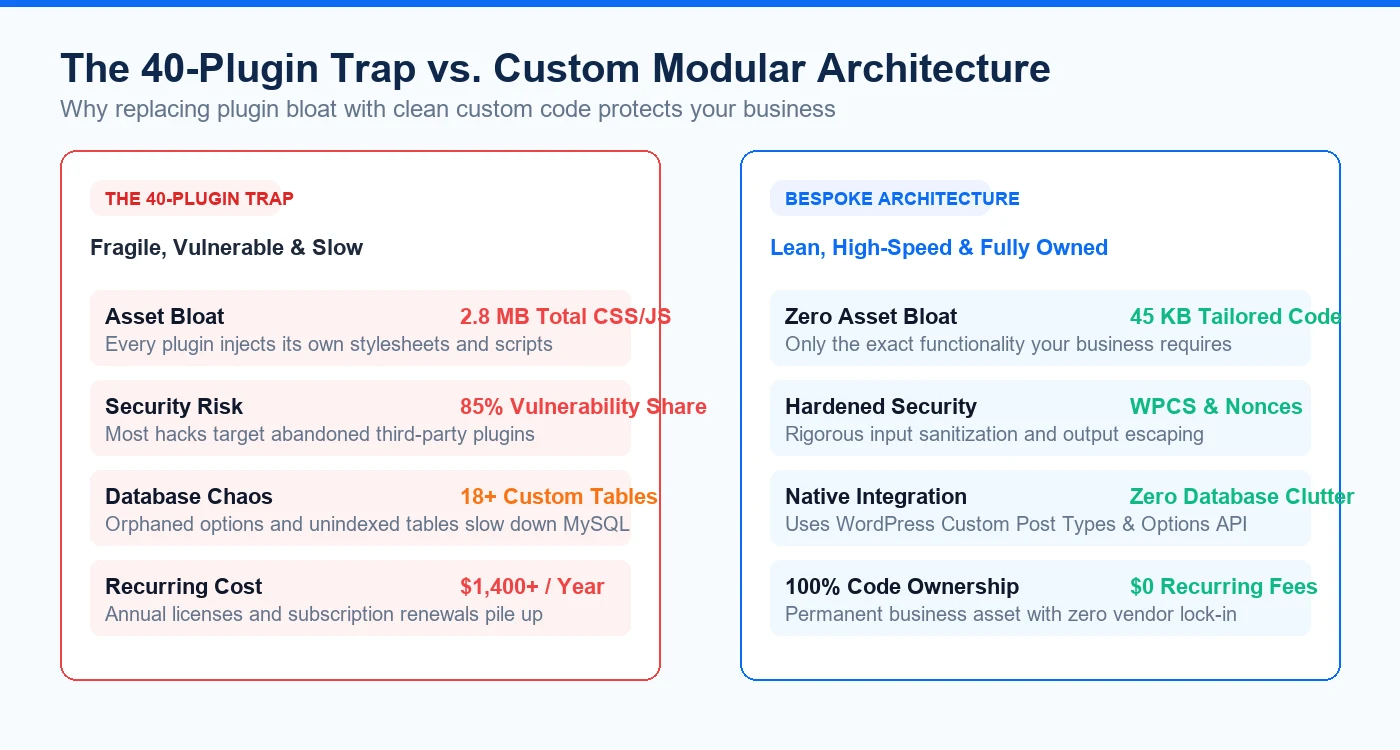
It is tempting to solve every new website requirement by installing another free or commercial plugin from the WordPress repository. However, each third-party plugin comes with its own stylesheets, JavaScript libraries, database tables, update schedules, and administrative menus. When a site reaches 35 to 50 active plugins, updates become risky, database bloat accelerates, and troubleshooting conflicts requires hours of trial-and-error debugging.
- Script Redundancy: Three different plugins might each load their own copies of jQuery UI, FontAwesome, or competing modal scripts.
- Security Surface Area: 85% of WordPress security vulnerabilities stem from third-party plugins rather than WordPress core.
- Abandonment Risk: Hundreds of popular plugins are abandoned annually by independent authors, leaving your business on an unsupported technical island.
- License Fatigue: Paying $49 to $199/year across 10 premium plugins quickly adds up to thousands of dollars in recurring software subscriptions.
When Custom Plugin Development Becomes the Smarter Choice
Custom plugin development is not necessary for standardized utility tasks like SMTP mail delivery or SEO XML sitemaps. However, custom development is overwhelmingly superior when your project involves proprietary business logic, third-party CRM/ERP API integrations, custom calculators, unique customer portals, or specialized workflow automation.
- Proprietary Business Logic: Your operational pricing, custom quoting formulas, or multi-tiered member permissions cannot fit into rigid generic options.
- Custom API Integrations: Connecting WordPress cleanly to HubSpot, Salesforce, custom webhooks, or internal enterprise databases via REST APIs.
- Extreme Performance Requirements: Replacing a heavy multi-feature plugin with 50 lines of tailored PHP code that runs in under 2 milliseconds.
- White-Label & Reusable IP: Digital agencies building proprietary toolsets to deploy across client sites without external licensing restrictions.
Writing Native, Future-Proof WordPress Code
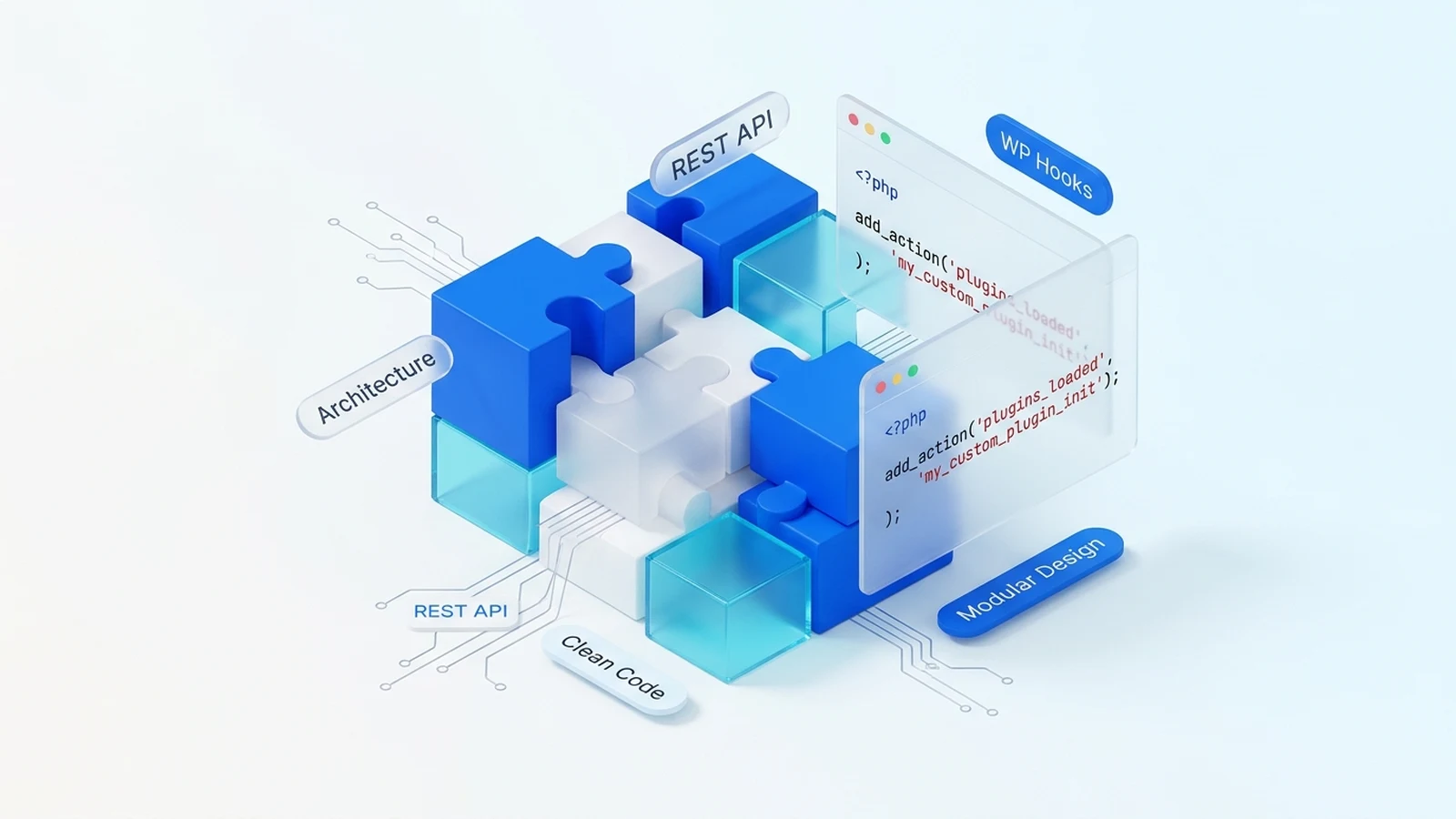
High-quality custom plugins follow WordPress Coding Standards (WPCS). They hook into existing WordPress actions and filters (add_action, add_filter), leverage Custom Post Types and taxonomies for structured data, and store configuration cleanly in the Options API with autoload optimization.
- Object-Oriented Architecture: Organize plugin code using PSR-4 autoloading or modular class structures with clear separation of concerns.
- Native Custom Post Types: Leverage register_post_type and register_taxonomy instead of inventing custom database tables unless high-volume logging demands it.
- Transient Caching: Cache remote API responses using get_transient and set_transient to prevent slow third-party servers from freezing page loads.
- Clean Deactivation & Uninstall: Always provide uninstall.php routines that clean up options and temporary data when the plugin is removed.
Bulletproof Security Hygiene: Nonces, Sanitization & Escaping
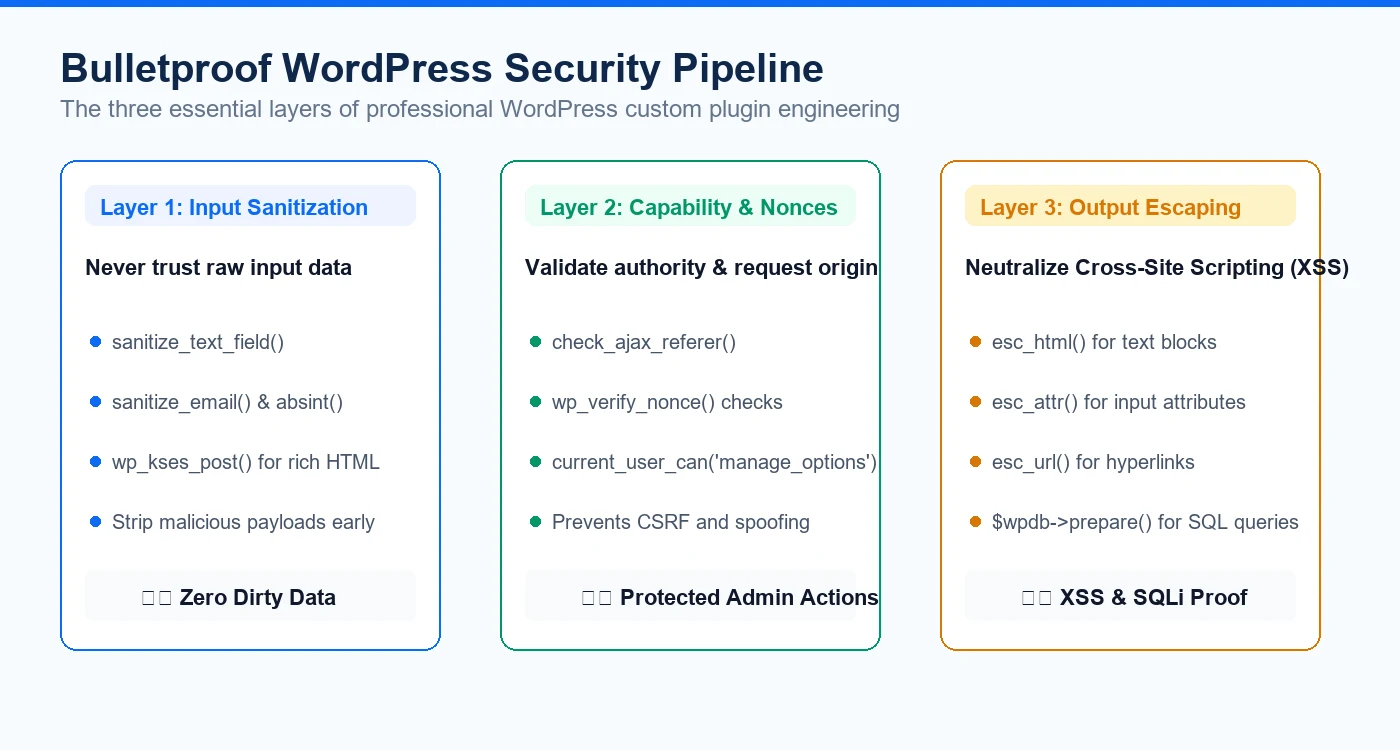
Every custom plugin must treat all incoming data as untrusted. Secure plugin engineering adheres to three non-negotiable rules: sanitize input before saving, validate user capabilities before processing, and escape output before rendering to prevent Cross-Site Scripting (XSS) and SQL Injection attacks.
- CSRF Protection: Verify security nonces (wp_create_nonce and check_admin_referer) on every form submission and AJAX endpoint.
- Input Sanitization: Sanitize all $_POST and $_GET data using sanitize_text_field, sanitize_email, or wp_kses.
- Safe SQL Queries: Always use prepared statements via $wpdb->prepare() rather than concatenating raw variables into database queries.
- Output Escaping: Escape all rendered variables using esc_html, esc_attr, or esc_url to neutralize malicious script injections.
Long-Term ROI: Why Bespoke Plugins Save Money
While building a custom plugin requires an initial investment in professional development, it yields tremendous long-term return on investment. The plugin belongs entirely to your business with zero recurring subscription fees, zero unwanted feature bloat, guaranteed compatibility with your active theme, and predictable maintenance schedules.
- Zero Recurring License Fees: Own your source code forever with no annual renewal costs or vendor lock-in.
- Fast, Fearless WordPress Core Updates: Clean, standard-compliant plugins continue working seamlessly across major WordPress version releases.
- Effortless Maintenance & Extendibility: When your business workflows evolve, new features can be added in days without breaking existing functions.
Have something like this in mind?
Good development starts with understanding the site, the people using it and the decisions that matter after launch.
Discuss a custom plugin project